MycilaDataLogger
ESP32 firmware to connect an ESP32 to an existing ESP32 to view the Serial logs including crashes and stack traces remotely through a web interface
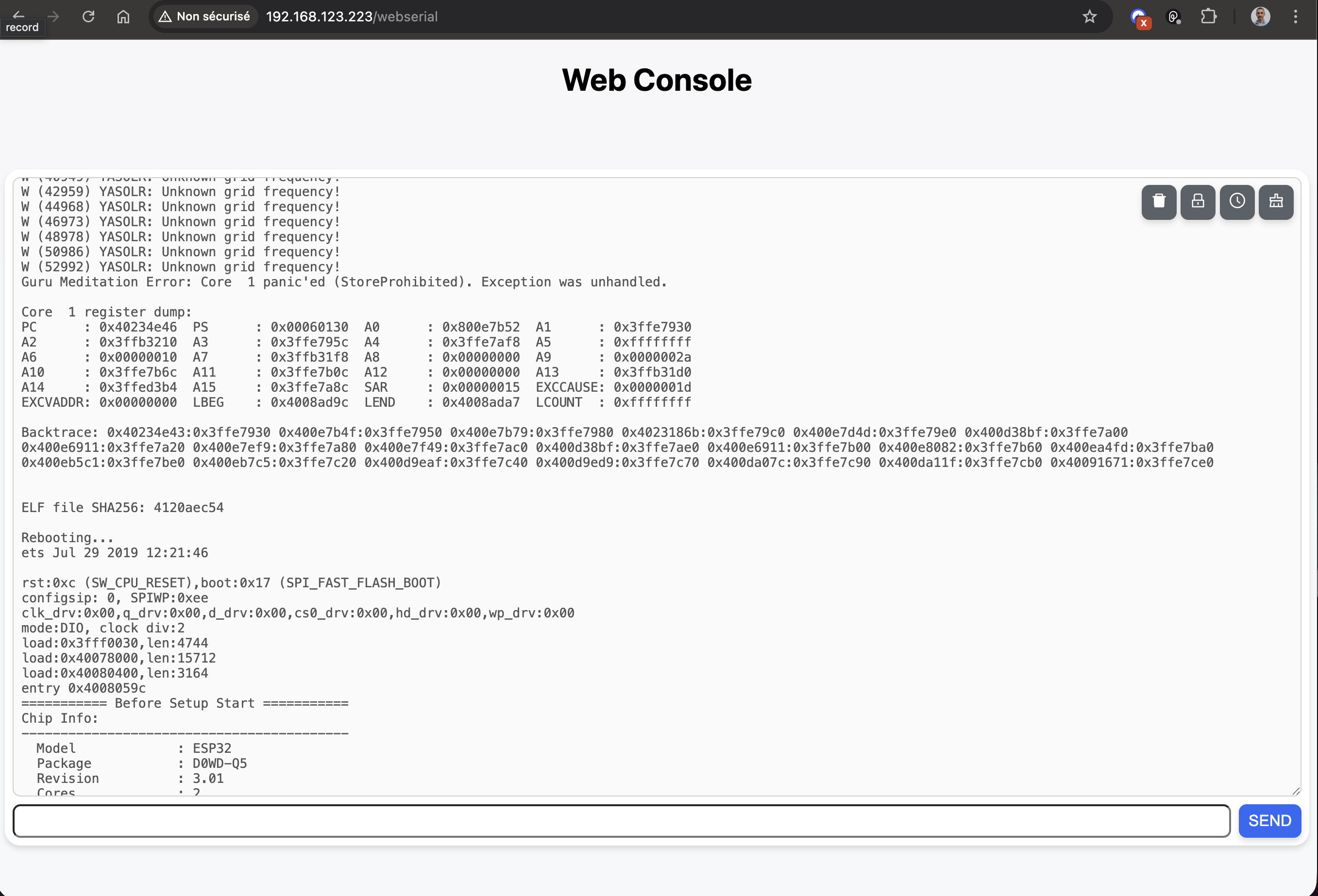




Table of contents
- 📥 Downloads
- ⚙️ Installation
- 🔌 Wiring
- 👀 Usage
Downloads
Releases (firmware binaries) are available in the GitHub releases page:
https://github.com/mathieucarbou/MycilaDataLogger/releases
Naming convention:
MycilaDataLogger-BOARD.FACTORY.bin— first-time / factory flash imageMycilaDataLogger-BOARD.OTA.bin— OTA update image
FYI, Supported ESP32 boards with Ethernet support:
- OLIMEX ESP32-PoE
- OLIMEX ESP32-GATEWAY
- Wireless-Tag WT32-ETH01 Ethernet Module
- T-ETH-Lite ESP32 S3
- Waveshare ESP32-S3 ETH Board
Installation
First-time flash (factory image):
esptool.py erase_flash
esptool.py write_flash 0x0 MycilaDataLogger-BOARD.FACTORY.bin
Wiring
| Board | RX (connected to TX0 on remote ESP32) | TX (connected to RX0 on remote ESP32) | WiFi | Ethernet |
|---|---|---|---|---|
| denky_d4 | 22 | 21 | ✅ | ❌ |
| esp32-c3-devkitc-02 | 18 | 19 | ✅ | ❌ |
| esp32-c6-devkitc-1 | 4 | 5 | ✅ | ❌ |
| esp32-gateway | 16 | 17 | ✅ | ✅ |
| esp32-poe | 35 | 33 | ✅ | ✅ |
| esp32-s2-saola-1 | 18 | 17 | ✅ | ❌ |
| esp32-s3-devkitc-1 | 16 | 17 | ✅ | ❌ |
| esp32dev | 16 | 17 | ✅ | ❌ |
| esp32s3box | 19 | 20 | ✅ | ❌ |
| lilygo_eth_lite_s3 | 17 | 18 | ✅ | ✅ |
| nodemcu-32s | 16 | 17 | ✅ | ❌ |
| tinypico | 4 | 25 | ✅ | ❌ |
| waveshare_esp32s3_eth | 19 | 20 | ✅ | ✅ |
| wemos_d1_mini32 | 16 | 17 | ✅ | ❌ |
| wipy3 | 4 | 25 | ✅ | ❌ |
| wt32-eth01 | 5 | 17 | ✅ | ✅ |
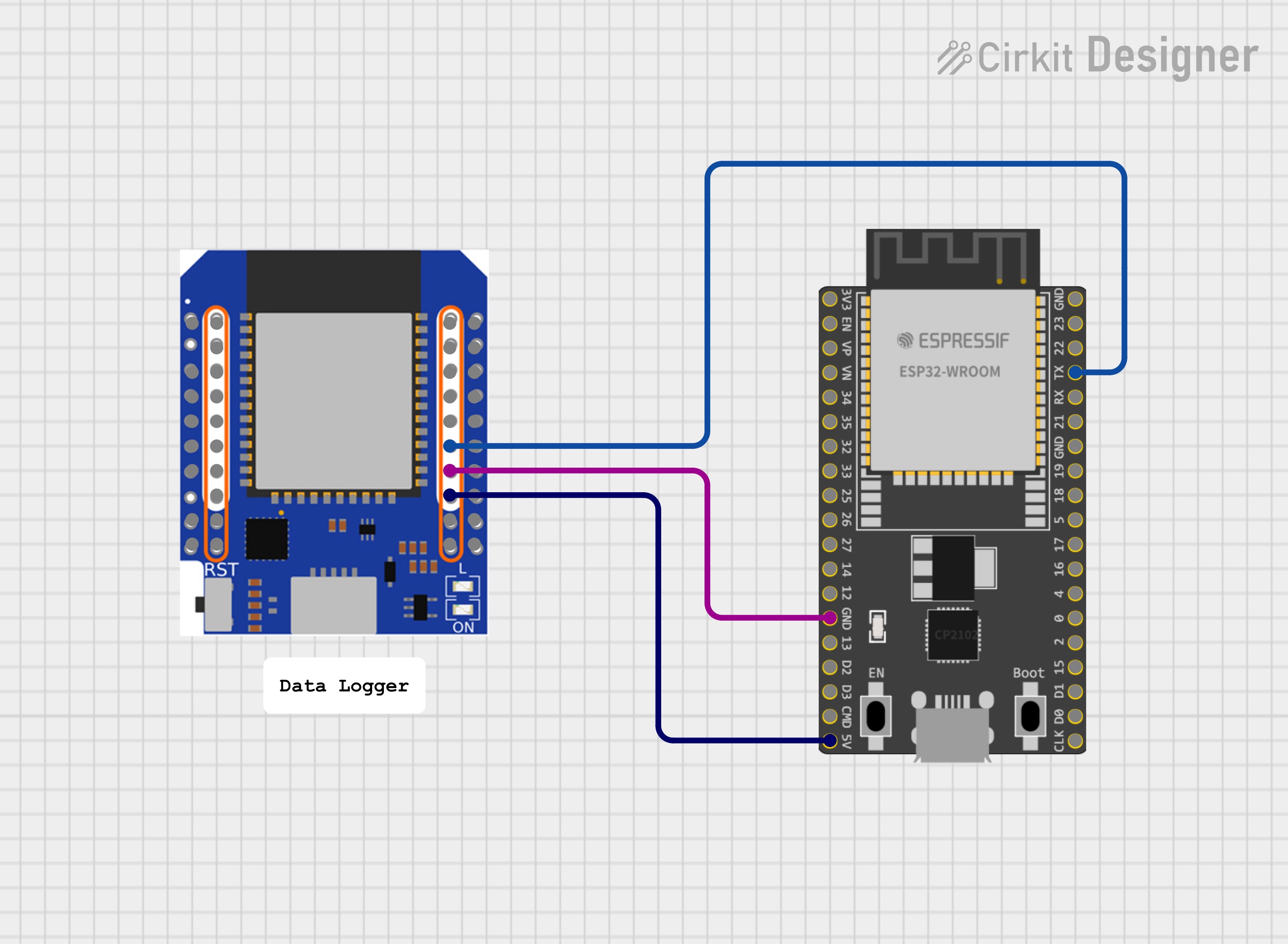
- Connect GND to GND of the remote ESP32
- Connect 5V input pint to the remote ESP32 5V or VIN pin
- Connect RX/TX as per table above
Notes:
- For now, you can only read the remote ESP32 TX0 logs, not send data to it. So the TX pin connection (going to RX0 on remote ESP32) is optional.
Usage
On first boot the device creates an access point to configure WiFi or stay in AP mode.
Then it will keep your preferences and connect to your WiFi network automatically on next boots (or stay in AP mode as chosen).
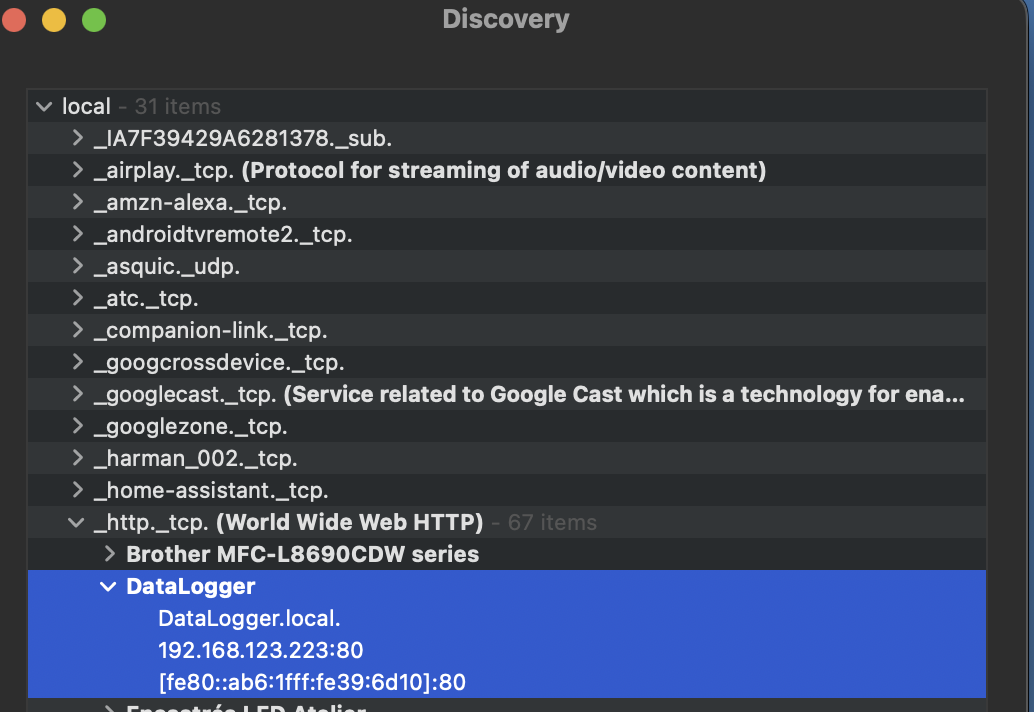
The project includes mDNS support so you should be able to access it at http://DataLogger.local/ in WiFi or ETH mode.
On macOS, the Discovery app can help you find mDNS devices on your network:
Links
-
Serial Console:
http://<device-ip>/ -
Factory reset:
http://<device-ip>/reset -
Restart:
http://<device-ip>/restart -
Firmware update (OTA):
http://<device-ip>/update
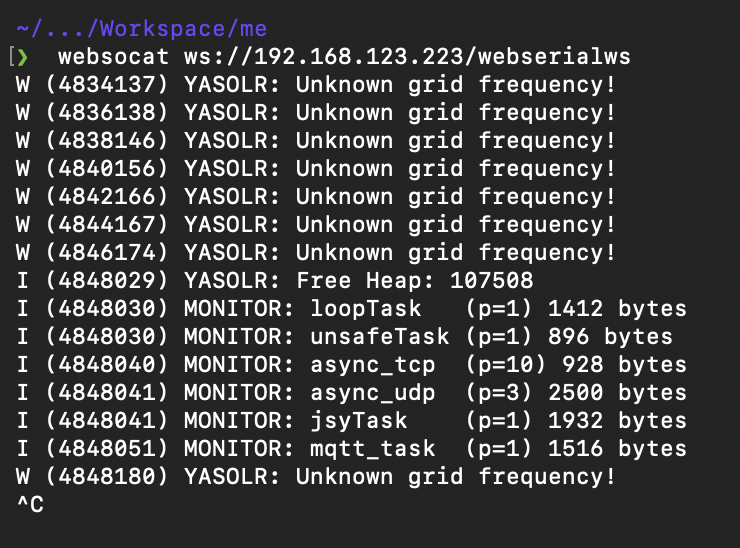
Terminal Streaming
You can also directly stream the ESP32 logs to a terminal by using websocat:
websocat ws://<device-ip>/webserialws
License
This project is licensed under the GNU General Public License v3.0. See the LICENSE file for details.